Blog
Office Chair Adjustments for Better Workdays

A chair can look premium, fit beautifully beneath a workstation, and still undermine performance if it is not set up for the person using it. Effective office chair adjustments turn ergonomic seating from a standard purchase into a practical workplace asset – supporting posture, concentration and the professional energy teams need through long working hours.
For office managers and procurement teams, this matters beyond individual comfort. A chair that accommodates different body types and work styles is more likely to remain useful as teams grow, desks are reassigned, and office layouts change. The right adjustment range also helps protect the value of a commercial seating investment.
Why Office Chair Adjustments Affect Workplace Performance
Most desk-based discomfort is not caused by one dramatic issue. It builds through small mismatches: a seat that is too high, armrests that block the desk, lumbar support sitting below the natural curve of the back, or a recline mechanism left fully locked. Over time, employees compensate by leaning forward, perching on the seat edge, or lifting their shoulders while typing.
A well-adjusted chair encourages a more balanced working position. The feet can rest securely, the lower back receives support, and the shoulders remain relaxed while using a keyboard or mouse. This does not mean every employee should sit in one rigid posture for eight hours. Movement is useful. The goal is to create a comfortable, supported starting position that makes changing posture easier rather than forcing the body to compensate.
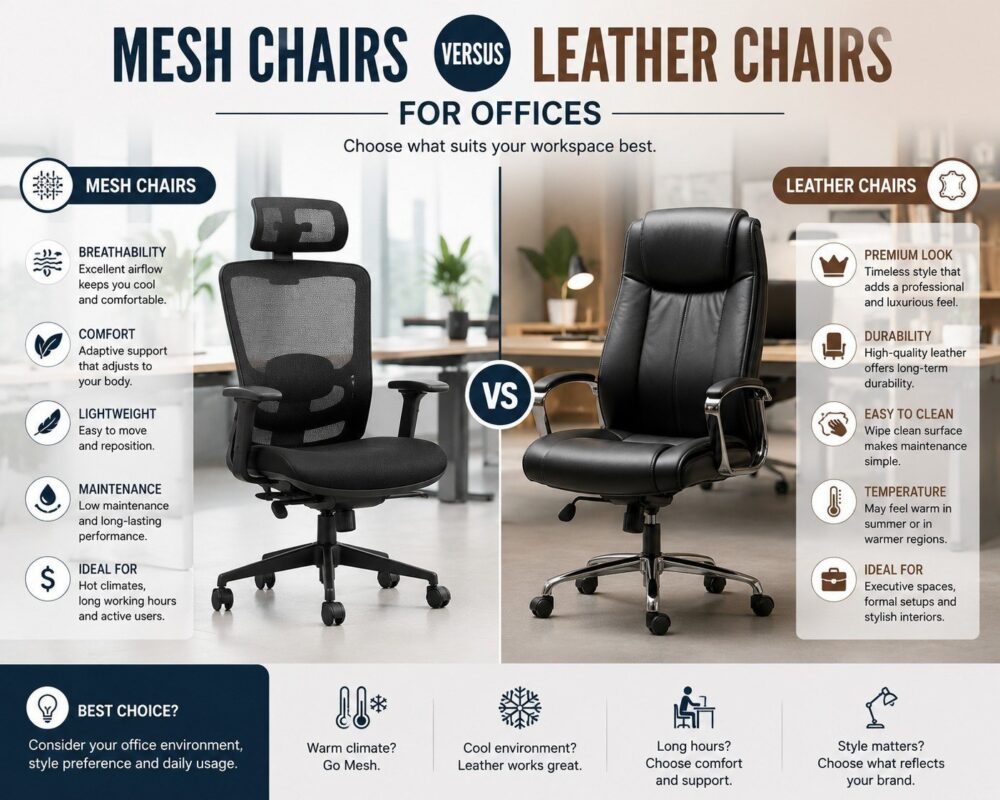
For client-facing offices, seating also communicates standards. Breathable mesh task chairs, executive leather seating, and polished visitor chairs each serve different visual and functional roles. Yet their quality is best felt in the details: smooth height control, stable tilt tension, supportive foam and armrests that work with the desk rather than against it.
Start With Desk Height, Not the Chair
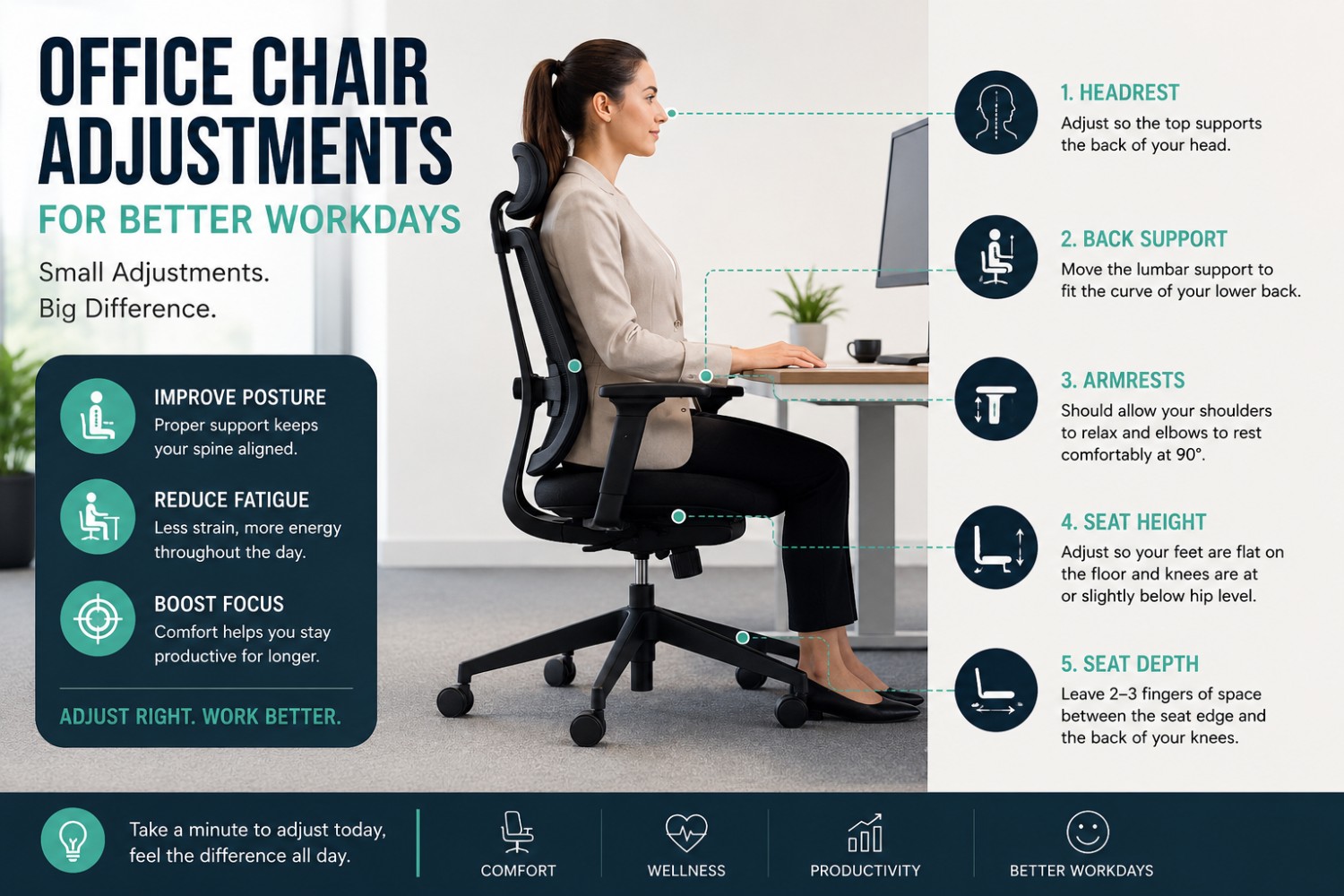
Chair setup should always be considered alongside the workstation. A chair cannot correct a desk that is unusually high, low, or poorly configured for the task. Begin by setting the chair height so the user can place their forearms comfortably on the work surface with shoulders relaxed. Elbows should generally sit close to a right angle, without the wrists bending sharply upward to reach the keyboard.
If the feet no longer reach the floor once the chair is raised to the appropriate desk height, add a footrest. Lowering the chair simply to reach the floor can leave the arms too low for the desktop and create unnecessary shoulder strain. This is a common issue in shared offices where a fixed-height desk must accommodate a wide range of employees.
A height-adjustable desk offers more flexibility, but it is not essential for a functional setup. A commercial-grade workstation with appropriate chair adjustment, monitor placement, and a footrest where needed can serve most teams effectively. The best solution depends on the work being done, the available space, and how often a station changes users.
Set the Seat Height and Depth
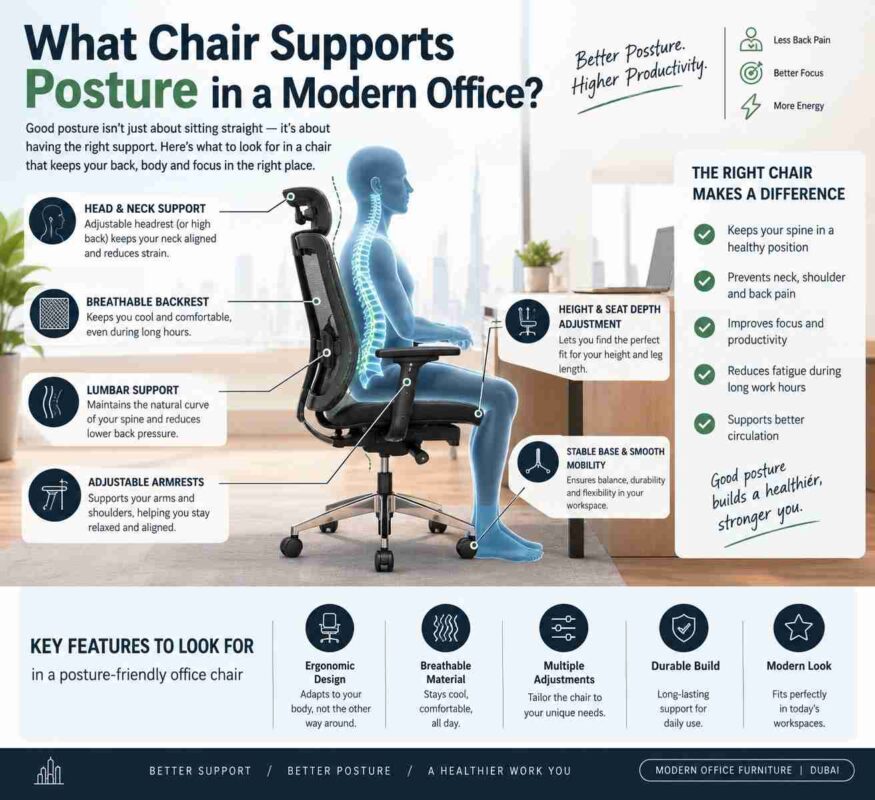
Seat height is the first adjustment most people use, but seat depth deserves equal attention. With the user seated fully back, there should be a small gap – roughly two to three fingers wide – between the front edge of the seat and the back of the knees. Too much pressure behind the knees can affect comfort and circulation. Too large a gap reduces thigh support and may encourage slouching.
Chairs with a sliding seat pan are particularly valuable for organizations furnishing workstations used by multiple employees. They allow taller users to gain more leg support without forcing shorter users to sit too far forward. In a hot-desking environment, an intuitive adjustment mechanism is more important than highly specialized settings that employees may not use.
Position Lumbar Support Where It Can Work
Lumbar support should meet the inward curve of the lower back, not press against the middle of the spine or the hips. On chairs with adjustable lumbar pads, move the support until it feels present but not aggressive. It should help maintain the back’s natural curve without forcing an exaggerated arch.
The right level of support varies by person. Someone who changes positions frequently may prefer a lighter setting, while a user focused on detailed computer work may benefit from firmer lower-back contact. High-density foam seating and breathable mesh backrests produce different sensations as well. Mesh often provides responsive, ventilated support, while cushioned executive chairs can deliver a more enveloping feel and a stronger visual statement.
Lumbar support is not a substitute for movement. Encourage employees to stand for a call, walk to a colleague instead of sending every message, or reset their position between tasks. The chair should support active work habits, not make employees feel locked into one posture.
Adjust Armrests to Clear the Workstation
Armrests should allow the user to work close enough to the desk without raising the shoulders. Set them so the arms receive light support during pauses, while the shoulders remain loose when hands are on the keyboard. If armrests are too high, they may force the shoulders upward. If they are too low, users may lean onto the desk or carry more tension through the neck and upper back.
Height-adjustable armrests suit most office environments. For teams doing intensive computer work, chairs with adjustable width, depth, or pivoting arm pads can provide a more tailored fit. Particularly for employees who use multiple screens or switch between typing and phone work. However, more adjustment points bring a trade-off: they can add cost and require clearer user guidance.
Armrests should also fit beneath the workstation when the chair is pushed in. This simple check has major operational value in compact offices, meeting rooms, and workstation clusters. A chair that cannot slide under the desk leaves circulation areas looking crowded and makes a carefully planned layout feel less organized.
Use Tilt and Recline as Working Tools
Many people lock their chair upright because they assume it is the most professional posture. In reality, a slight recline can reduce pressure on the lower back and create a more comfortable viewing angle for a monitor. The key is controlled support, not a loose mechanism that sends the user too far backward.
Start with a modest recline and adjust the tension so the backrest moves with the user’s body weight. A lighter user often needs lower tension; a heavier user generally needs more. If the chair has a tilt lock, test one or two positions rather than defaulting to fully upright.
Tilt is especially useful in executive offices and focus areas. Where people spend long periods reading, reviewing documents, or working on screens. For reception, training, and visitor seating, fixed-position chairs may be more appropriate because they simplify use, preserve visual consistency, and match the shorter duration of occupancy.
Make Shared Seating Easy to Reset
A thoughtful office furniture plan accounts for changing users. In shared workstations, adjustment controls should be visible, responsive, and easy to understand. A chair with excellent ergonomic specifications delivers less value if employees do not know how to set it correctly.
Provide a brief chair setup guide during onboarding or workplace orientation. It can be as simple as asking employees to check their height. Seat depth, lumbar position, armrests, and tilt tension before settling into a new station. Facilities teams should also inspect seating periodically for loose arms, worn casters, damaged gas lifts, or mechanisms that no longer hold their setting.
This maintenance approach protects presentation as well as comfort. Clean upholstery, stable bases, and smoothly functioning controls reinforce a sense of care across executive offices, meeting rooms, and open-plan teams.
Choose Chairs With the Right Adjustment Range
Not every chair needs every possible control. A reception chair may prioritize clean lines, durable upholstery, and a strong first impression. A boardroom chair may balance comfort with a refined executive finish. A task chair for a six-person workstation cluster, however, should usually prioritize adjustable height. Reliable lumbar support, practical armrests, and a responsive recline mechanism.
When selecting seating, consider the user population, average daily sitting time, desk configuration, and the level of task concentration required. A breathable mesh chair can be an excellent choice for active, high-use team areas. Executive leather chairs bring authority and comfort to leadership spaces, provided their dimensions and armrests align with the desk. The most impressive chair is not automatically the best chair for every role.
Desk Craft approaches seating as part of a coordinated workplace system. Where chairs, desks, storage, privacy panels, and meeting furniture support both productivity and a credible professional image. When these elements are planned together, adjustment becomes easier because the workstation itself is designed around how people work.
A few minutes spent setting a chair correctly can improve the feel of an entire workday. Give employees the controls, space, and guidance to make those changes, and the office becomes more comfortable. More composed, and better prepared for sustained performance.